Xtream Codes vs M3U URL: Which IPTV Login Should You Use?
Xtream Codes API or one long M3U link? Same subscription, very different results. What each format is, which players prefer which, and when to switch.
Short answer
Use Xtream Codes API whenever your player offers it. It logs in with three fields — server URL, username, password — and pulls your channels, movies, series and TV guide as a live, structured list that refreshes itself. An M3U URL is a single long link that downloads one flat playlist file; it is more universal but it carries no VOD structure, updates less gracefully and breaks in ways that are hard to see. Same subscription, same content, two different doors. Your TrendyScreen login works through either.
If we sent you both formats and you are not sure which to paste where, this is the page that settles it. For the app-by-app setup screens, pair this with the Smarters Player Lite guide; if something is already broken, go to IPTV Smarters Pro not working instead.
What Xtream Codes Actually Is

Xtream Codes is not an app and it is not a subscription — it is the panel software a large share of IPTV providers run their lines on, and more importantly it is the API that panel exposes. When a player offers “Login with Xtream Codes API,” it is saying: I know how to talk to that panel directly.
You give the player three values:
- Server URL — the address of the panel, including its port. For example
http://your-server.com:8080. The port is part of the address, not an optional extra. - Username — your line. Case-sensitive.
- Password — also case-sensitive.
The player then makes a series of live requests: give me the live categories, give me the channels in category 7, give me the VOD library, give me the series, give me the guide. Each answer comes back as structured data the app can sort, search and cache intelligently. That structure is the whole advantage.
What an M3U URL Actually Is
An M3U (or M3U8) link is one URL that ends in something like type=m3u_plus&output=ts. Open it in a browser and you would see a plain text file: a few thousand lines, each one a channel name followed by a stream address.
That is the entire format. It is decades old, it predates IPTV by a long way, and it is understood by essentially every media player ever written — VLC, Kodi, smart TV apps, car head units. Universality is its strength and its ceiling. A flat text list has nowhere to put a movie poster, a series/season/episode tree, a catch-up flag or a programme description. Some of those get bolted on through extra tags in “m3u_plus,” but support is inconsistent between players.
They are not two subscriptions. Both formats point at the same line on the same server. Switching between them does not change what you are allowed to watch, does not cost anything and does not use an extra connection slot.
Xtream Codes vs M3U: The Side-by-Side
| Xtream Codes API | M3U URL | |
|---|---|---|
| What you enter | 3 fields | 1 link |
| Live channels | Yes | Yes |
| Movies (VOD) with posters | Full library, sorted | Often flattened into the channel list |
| Series by season/episode | Yes | Rarely |
| TV guide (EPG) | Pulled automatically | Usually a separate URL to add |
| Catch-up playback | Supported where the line offers it | Mostly not |
| Category structure | Kept as the provider built it | Depends on the player parsing tags |
| Refreshing after changes | Incremental, automatic | Re-downloads the whole file |
| Fails visibly when broken | Shows an error | Can load half a list silently |
| Player support | IPTV-specific players | Almost anything that plays video |
Read that table and the rule writes itself: if the app in front of you offers the API, take it. Keep M3U for the devices that leave you no choice.
Which Players Prefer Which

- IPTV Smarters Pro / Smarters Player Lite — both formats on the first screen. The API option is the one to press; it is what fills the Movies and Series tabs.
- TiviMate — accepts both, and its famous guide grid is at its best on the API, where channel IDs line up with the EPG without manual mapping.
- XCIPTV — both. The name is a clue: it was built around Xtream Codes.
- Kodi (with a PVR add-on) — M3U is the common path, with a separate EPG URL alongside it.
- VLC — M3U only, and live channels only. Fine as a five-minute test tool, miserable as a daily driver.
- Smart TV apps (Samsung Tizen, LG webOS) — usually M3U, sometimes through an activation page on the TV manufacturer’s own app store.
If you are still deciding which app to run, our best IPTV player roundup compares them properly, and the IPTV boxes guide covers the hardware underneath.
You Can Build One From the Other
This surprises people: if you have Xtream Codes details, you already have an M3U link. The format is mechanical. A panel that answers on http://your-server.com:8080 with username abc and password 123 serves its playlist at:
http://your-server.com:8080/get.php?username=abc&password=123&type=m3u_plus&output=ts
Fill in your own three values and you have a working M3U for any device that needs one. It runs backwards too: a provider’s M3U link contains the server, username and password in plain sight, so you can read the three API fields straight out of it.
Treat an M3U link like a password. Your username and password sit in that URL in plain text. Anyone you send it to can watch on your line — and will trip your connection limit while doing it. Never post one in a forum, a Telegram group or a support ticket screenshot.
So Which Should You Use?
Three rules cover almost every real situation.
- Player offers the API? Use the API. You get the VOD library, the series tree, the guide and catch-up, and failures announce themselves instead of quietly loading half a list.
- Device only accepts a link? Use M3U — and add the EPG URL separately so you still get a guide.
- Something is behaving strangely on M3U? Switch to the API before you troubleshoot anything else. A truncated playlist download explains a startling share of “missing channels” reports.
Adding Each One, Step by Step
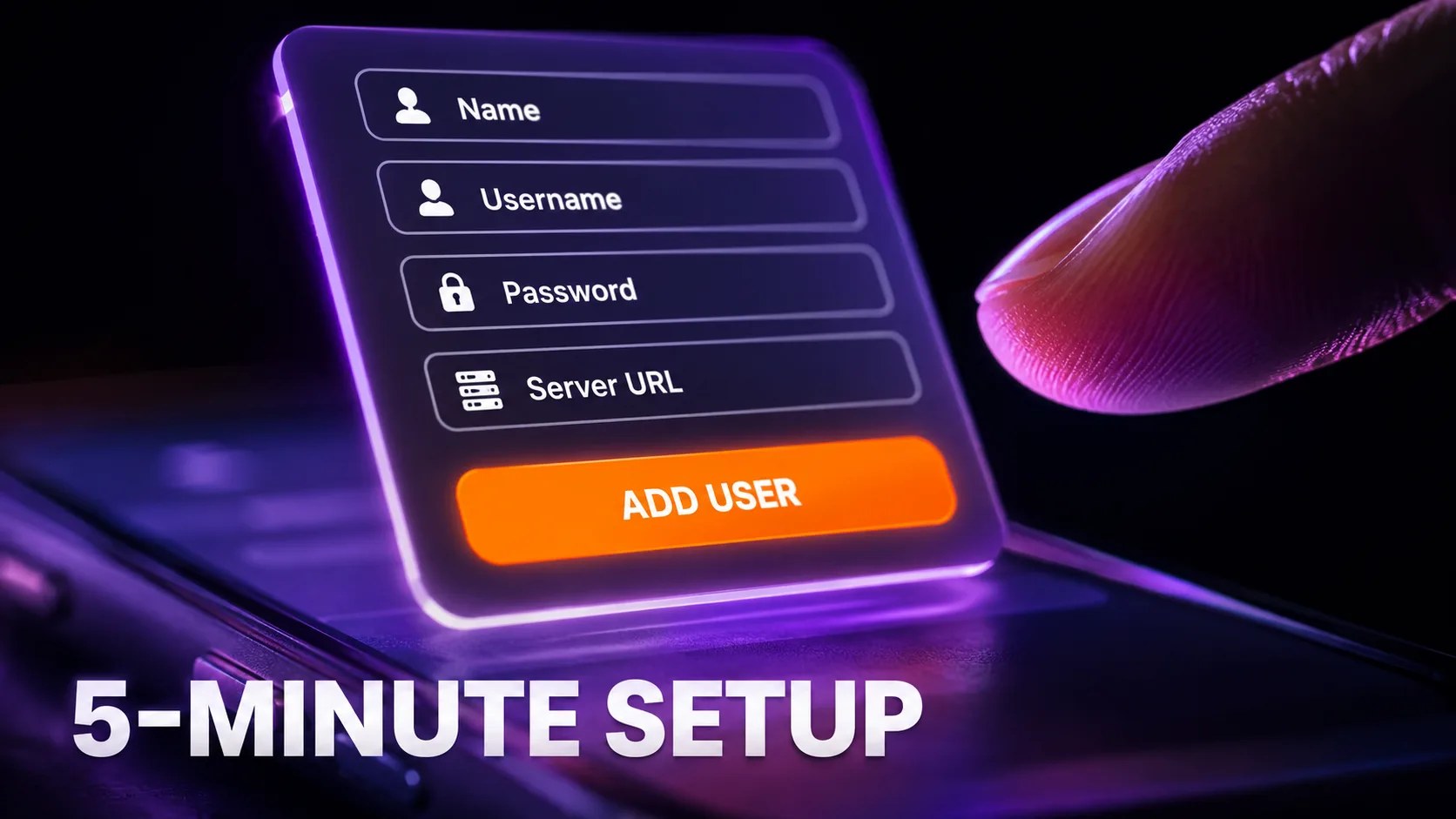
Xtream Codes API
- Open the player and choose Login with Xtream Codes API.
- Name — anything you like. Use the room or the person if you will add more than one profile.
- Username and Password — paste, never type.
- Server URL — paste it whole, including
http://and the port. - Tap Add User and wait. A full library can take a minute on first load.
M3U playlist
- Choose Load Your Playlist or File/URL.
- Give the playlist a name.
- Paste the full M3U URL — check the end of the field for a stray space.
- Add the EPG URL separately if the app has a field for it, otherwise the guide will stay empty.
- Tap Add and let the file download completely before touching anything.
The Four Problems Unique to Each Format
API problems
- “Invalid username or password” with correct details — nearly always the missing port in the server URL, or autocapitalisation on a phone.
- Everything loads but the guide is hours out — the panel publishes in another timezone. Use the EPG time-shift setting rather than changing the login.
M3U problems
- Only part of the channel list appears — the download was cut short. Reload the playlist on a stable connection, or move to the API.
- Movies and series appear as thousands of “channels” — normal for a flat playlist. Only the API separates them into real libraries.
Anything that survives both formats is not a login problem at all — that is where the buffering guide takes over.
A Word on Handling Your Credentials
Whichever format you use, the same three values are behind it, and they are the whole of your subscription. Keep them in a password manager rather than in a chat thread. Do not paste them into “playlist checker” or “IPTV tester” websites — those exist to harvest working lines. And if you ever share a screenshot of your login screen for support, cover the server URL and password: an M3U link or a filled-in API form is enough for a stranger to watch on your account and lock you out of your own connection slot.
If you are still comparing services before committing, independent lineups such as KiloTV are a useful reference for what a channel pack should actually contain — and every one of them hands you the same two login formats when you sign up.
Further reading
- IPPlayTV on player login formats — what to enter where, screen by screen.
- Tivo8K on stream output settings — why
output=tsandoutput=hlsbehave differently on the same line.
Frequently Asked Questions
Is Xtream Codes better than M3U?
For IPTV-specific players, yes. The API returns structured data, so you get real movie and series libraries, an automatic guide, catch-up where the line supports it, and clear errors when something is wrong. M3U’s advantage is universality — it works on devices that have never heard of the Xtream Codes API.
Do I need a separate subscription for each format?
No. Both point at the same line on the same server with the same username and password. Switching costs nothing and changes nothing about what you can watch.
How do I get an M3U link if I was only sent Xtream Codes details?
Build it: http://SERVER:PORT/get.php?username=USER&password=PASS&type=m3u_plus&output=ts, substituting your own three values. Or ask us and we will send it. Treat the result as a password, because it contains one.
Why does my M3U playlist keep missing channels?
An M3U is one large text file downloaded in one go. If the download is interrupted, the player parses whatever arrived and shows a short list with no error. Reload it on a stable connection, or switch to the API login, which rebuilds categories instead of trusting a single file.
Can I use both at once on the same device?
Yes — most players let you add several profiles. It is a genuinely useful trick: keep the API profile as your daily driver and an M3U profile as a backup for the evening the panel is being upgraded. Just remember that every profile playing at the same time counts against your connection limit.
Does the EPG come with the M3U link?
Usually not. The API pulls the guide by itself; with M3U you normally add an EPG URL in a separate field. If your player has no such field, the guide will stay empty no matter how long you wait for it.
One line, both formats, every device.
TrendyScreen sends you Xtream Codes details and an M3U link on activation — 75,000+ live channels and 260,000+ titles, from $5 a month. Use whichever your player prefers.
Keep Reading
How to Install IPTV Smarters Pro on Firestick (2026 Step-by-Step Guide)
Developer options are hidden on new Fire TV Sticks. Here is how to unlock them, sideload IPTV Smarters Pro with…
Read more →
How Many Devices Can Use One IPTV Subscription? Connections Explained
Installs are unlimited, simultaneous streams are not. What an IPTV "connection" really counts, what happens when you go over, and…
Read more →
How to Watch IPTV on VLC (Windows, Mac, Android and iPhone)
VLC plays an IPTV M3U link in under a minute on any computer or phone. The exact menus on each…
Read more →